Capture in seconds
Snap it, and it's filed.
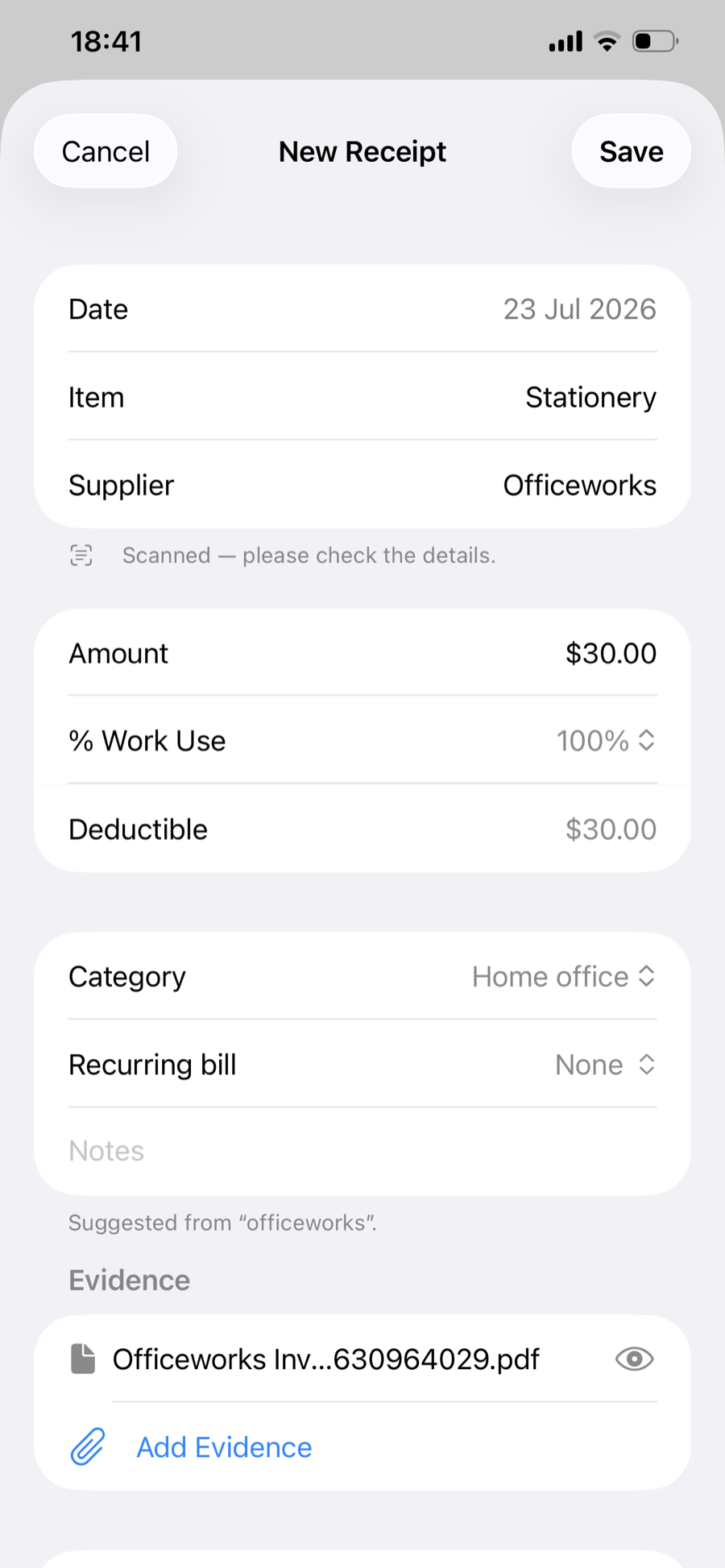
Scan a paper receipt with the camera, import a PDF, or add a photo you already have. Scanning reads the supplier, amount and date for you — just check and save.
In a hurry? Start a scan straight from Control Center, or just ask Siri — you're in the camera without hunting for the app.
Got the invoice by email? Share it straight into Hexreceipt from Mail or Files, and pick up the details later.
Sorted the ATO way
Every receipt, in the right bucket.
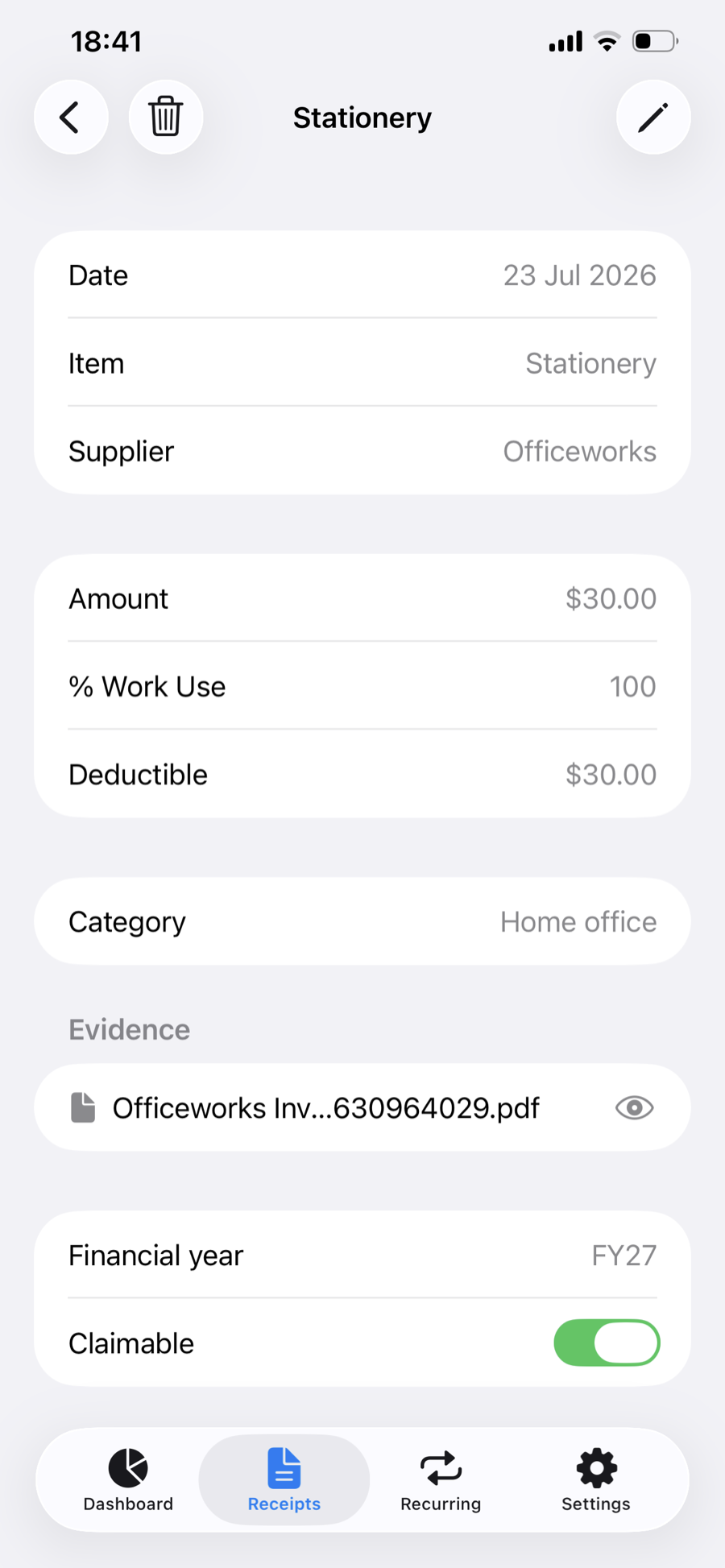
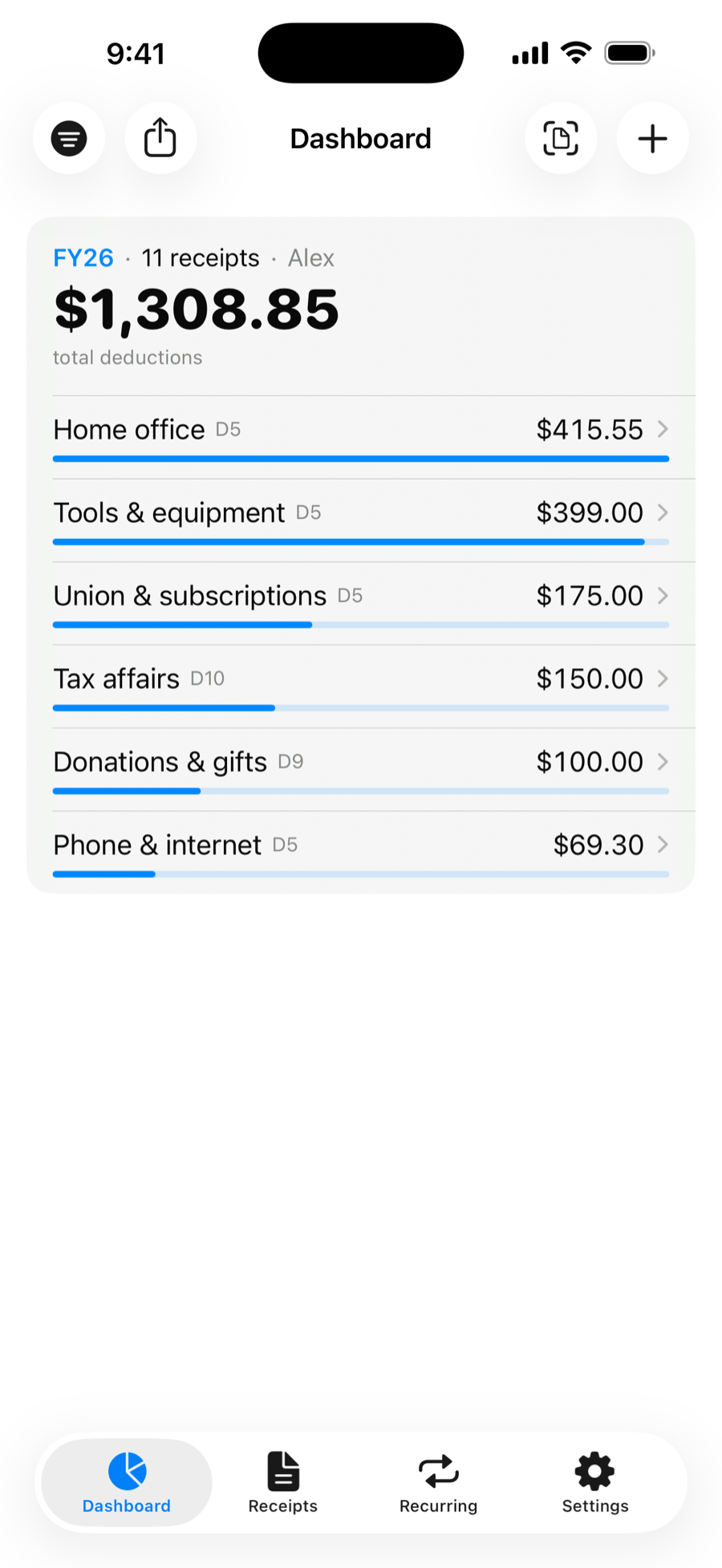
Categories map to the ATO's deduction labels (D1–D10), so your records line up with the return. Hexreceipt even suggests a category from how you filed that supplier before.
- Set a work-use % and see the deductible amount update live.
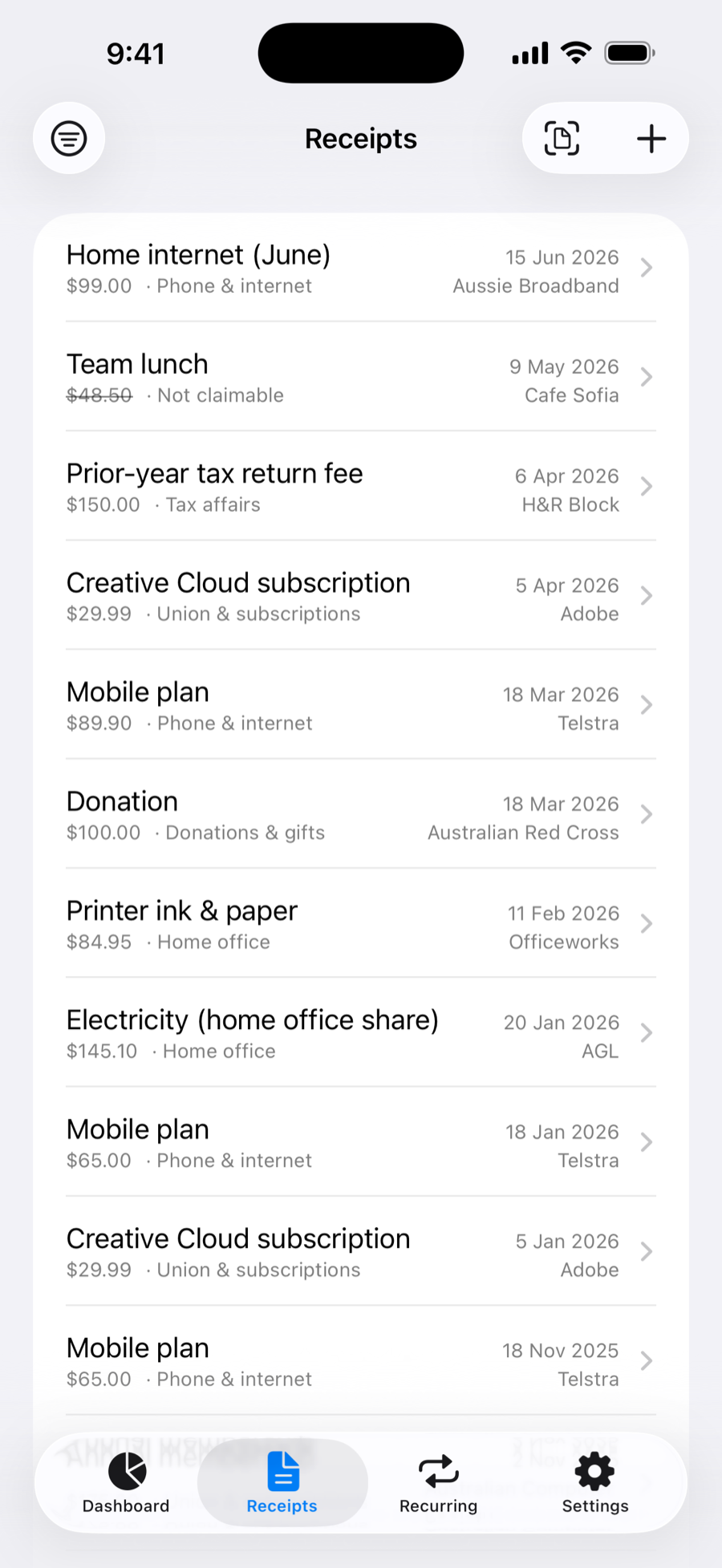
- Mark a receipt "not claimable" after accountant feedback — it stays on record but drops out of your totals, and reminds you next year.
Never miss a month
Recurring bills, tracked all year.
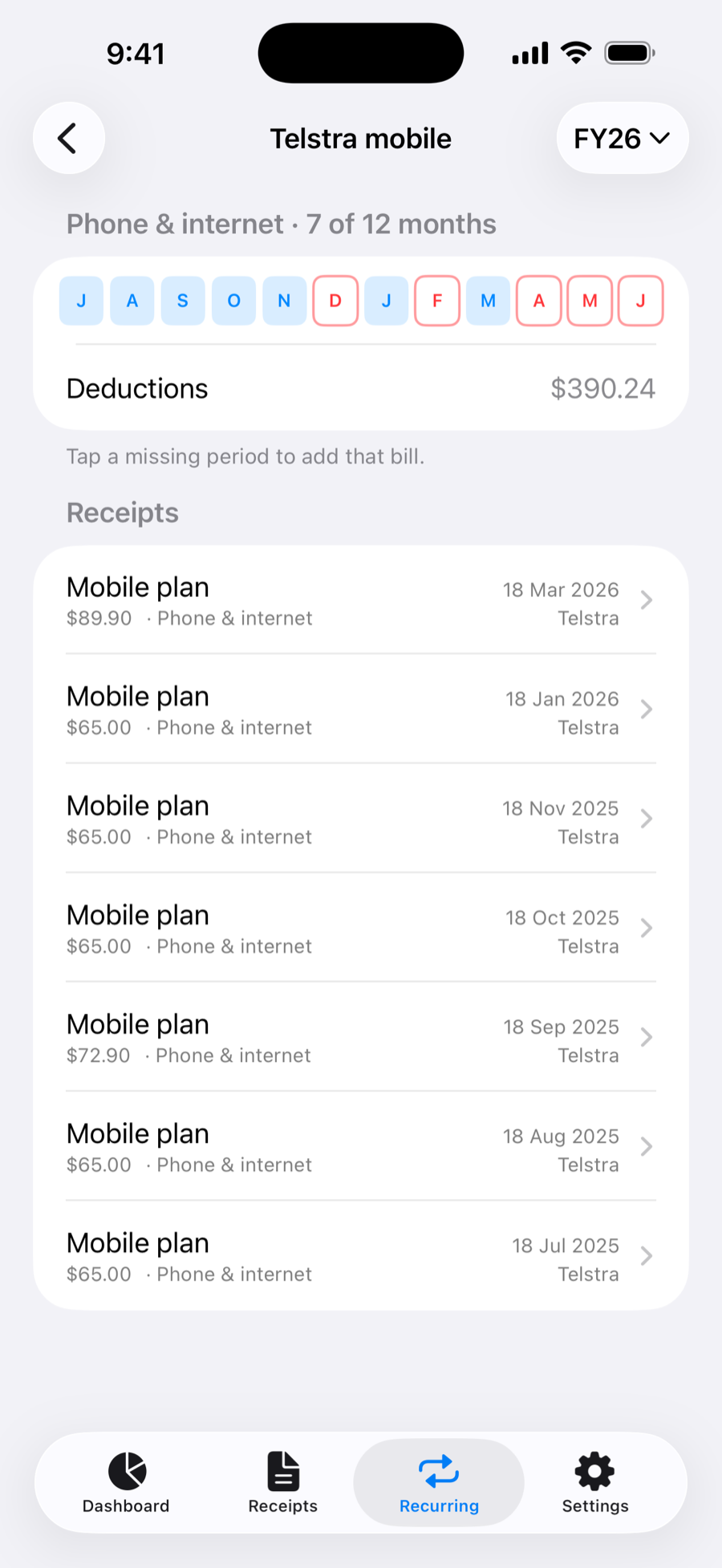
Mobile, internet, gas, electricity — group each as a recurring bill and Hexreceipt shows the whole year at a glance. A twelve-month strip fills in as you go, and flags any month you're missing, so you never under-claim.
Tap a gap to add that month's bill, pre-filled from the series.
All in one place
Every receipt, one tidy list.
Browse everything in one place — search by supplier, item or note, sort however suits, and filter by financial year or category. Receipts with no evidence attached are flagged, and likely duplicates are called out, so nothing questionable hides in the pile.
- Reminders as 30 June approaches, to capture any outstanding bills.
- A nudge on 1 July, when it's time to generate your submission.
For the whole household
Everyone's receipts, sorted.
Track deductions for your family — or anyone at all. Tag each receipt to a person, filter the dashboard and lists to see how each one's shaping up, and generate a separate year-end bundle for every person.
Share a bill across the household — scan it once, then copy it to each person and adjust to their share. A bill you both claim never needs scanning twice, and it keeps tracking as a recurring series for each of you.
Ideal for the household organiser who does everyone's return.
At a glance
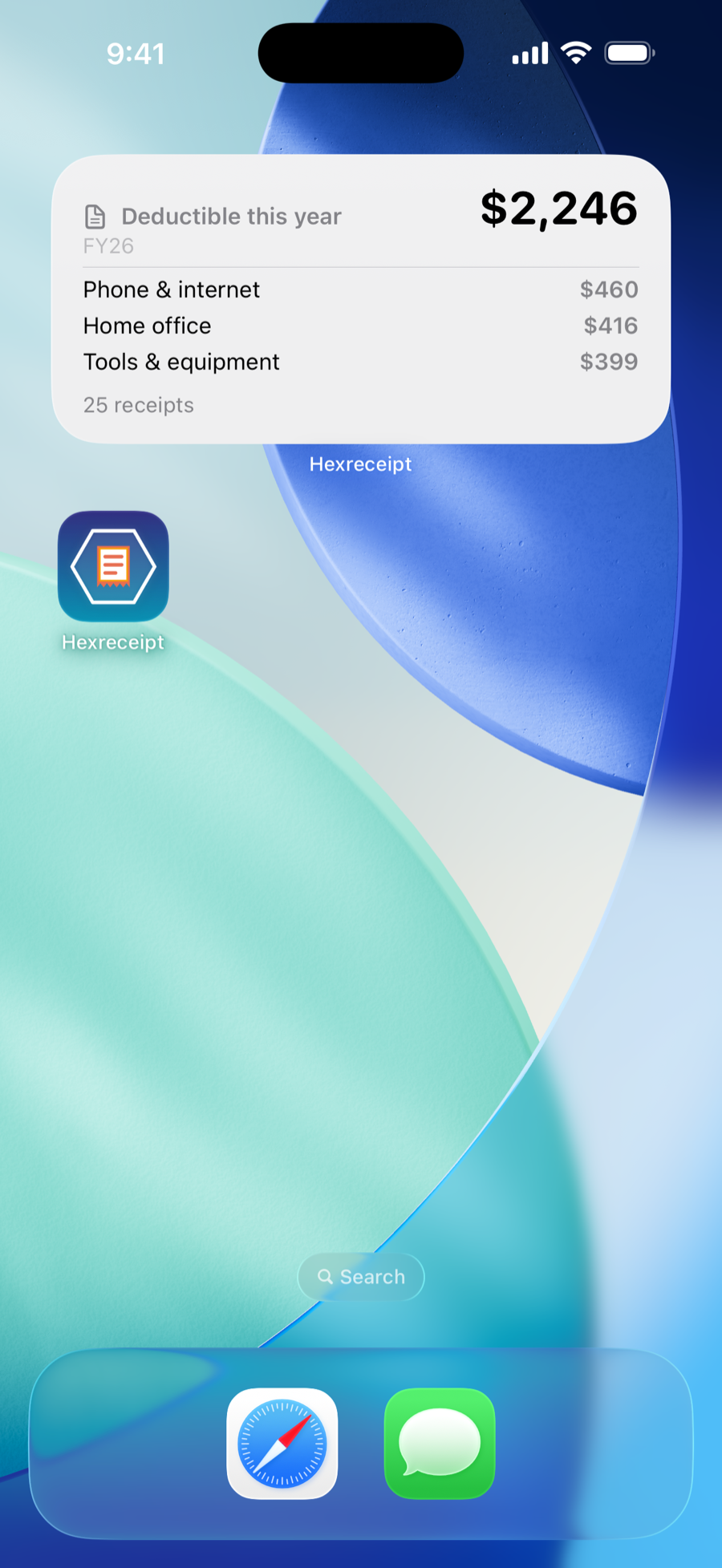
Your total, right on the Home Screen.
Add the Hexreceipt widget to see this financial year's deductible total without opening the app — with a quiet nudge when a receipt still needs its evidence attached.
At tax time
One tap, ready for your accountant.
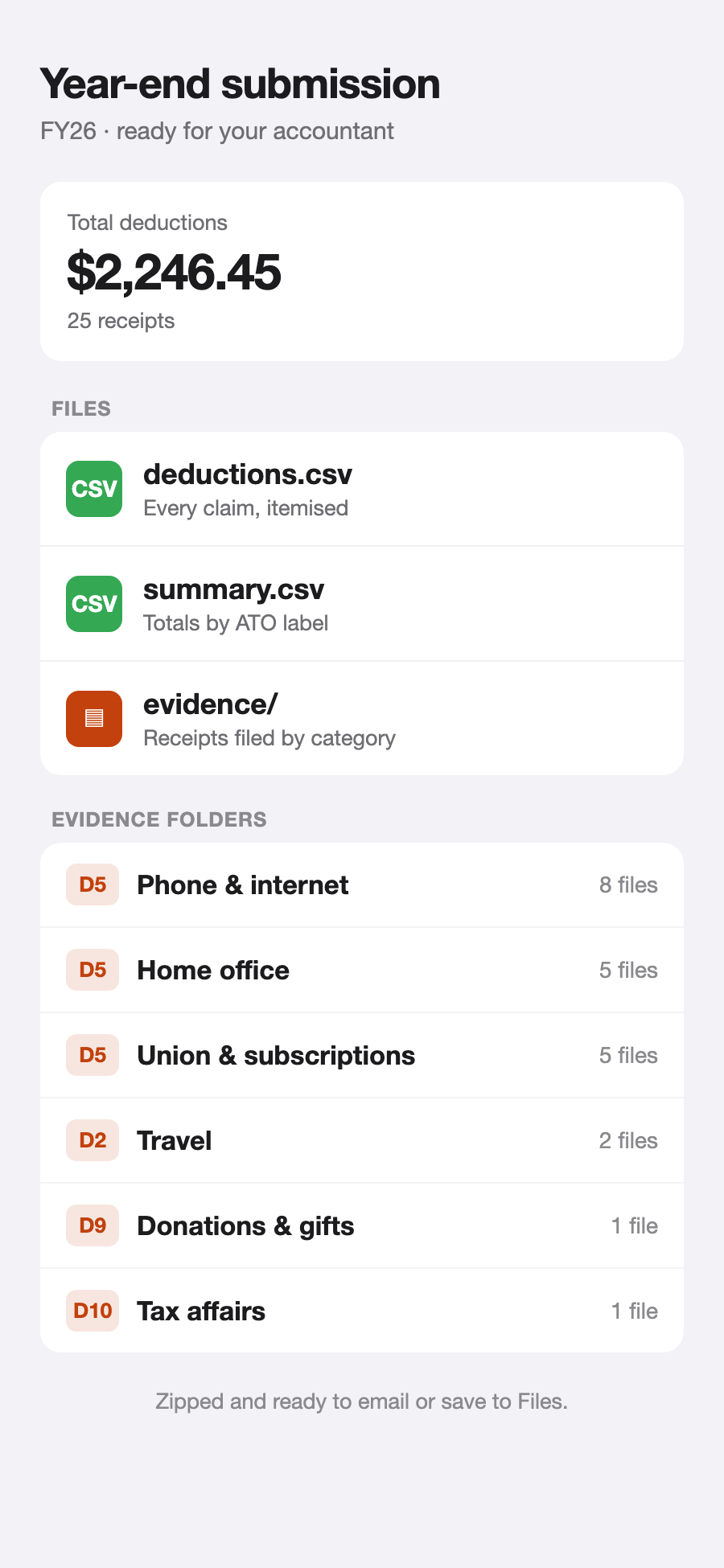
See exactly what's in your bundle before you generate it — a deductions spreadsheet, a per-category summary, and every receipt's evidence, organised into neat per-category folders and zipped, ready to email or drop in a shared folder. Doing the household's tax? Get a separate bundle for each person.
Capturing and organising is free all year; a one-time Pro unlock generates the submission.